
Browser-Local AI on Bitcoin.com AI
Bitcoin.com AI now supports a browser-local model that runs directly on your device instead of on Bitcoin.com AI servers.
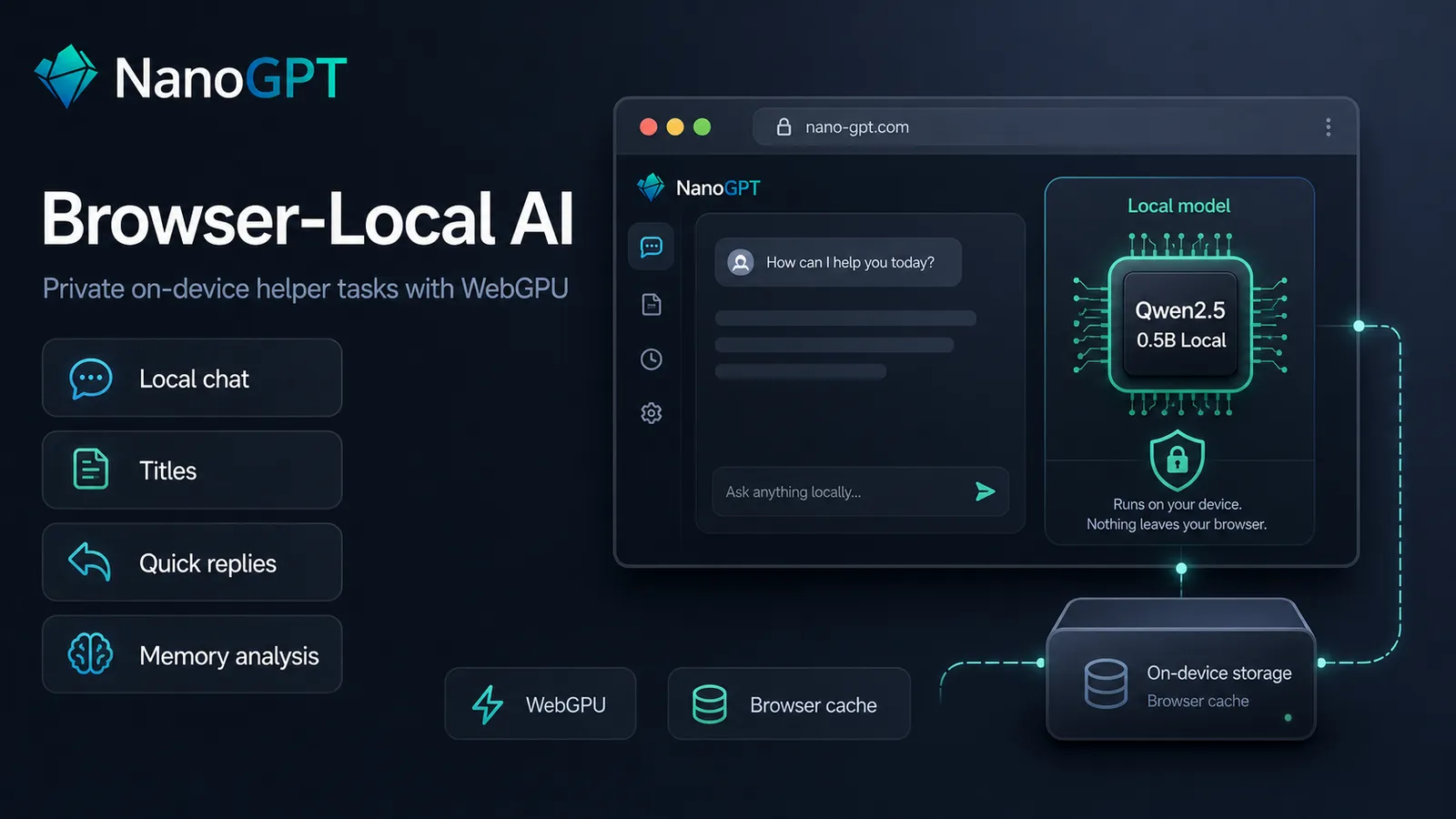
The current local model is Qwen2.5 0.5B Instruct (Local). If your browser exposes WebGPU, you can install it once and use it for a set of privacy-sensitive helper tasks inside Bitcoin.com AI.
The browser-local model is now available by default on supported devices, with install and setup flows wired into Bitcoin.com AI.
What this means
Once installed, the local model can be used for:
- Text-only local chat in the browser
- Conversation title generation
- Quick reply suggestions
- Global Memory analysis
- Auto model routing classification
Some of these features run fully locally. Others use the local model only for a helper step.
What runs locally and what does not
There are two broad categories here:
1. Fully local tasks
These can run on-device without sending the relevant text to Bitcoin.com AI for that step:
- Local chat
- Conversation titles
- Quick replies
- Global Memory analysis
For example, if you use the local model for Memory analysis, the chat text being analyzed for memory suggestions stays on your device for that analysis step.
2. Local decision-making for server features
The local model can also help choose what Bitcoin.com AI should do next, without being the final model that answers:
- Auto model routing classification
In that setup, the browser-local model classifies the request locally, then Bitcoin.com AI routes the actual chat request to the selected normal model. So the classification can happen on-device, but the final selected chat model still runs through Bitcoin.com AI as usual.
The current local model
Right now the local model is:
- Qwen2.5 0.5B Instruct (Local)
This is a deliberately small model. That means it's limited in intelligence, but the tasks we're using it for are simple tasks where we care about keeping it local, about low latency.
Current characteristics:
- Runs with WebGPU
- Downloads roughly 400 to 700 MB
- Is stored in the browser cache
- Can be evicted by the browser later
- Has no Bitcoin.com AI billing for the local model itself
That last point only applies to the local model work. If you use local Auto model classification and it routes you into a paid server model, the server model still has its normal pricing.
How to install it
The local model only downloads after you explicitly install it.
After installation, Bitcoin.com AI shows a setup flow where you can choose which local features should use it:
- Global memory
- Conversation titles
- Model routing for Auto model
- Quick replies
This matters because different users want different tradeoffs. Some mainly want private Memory analysis. Others want local titles and quick replies. Others want local Auto model routing but still want normal server chat.
Where to use it
You can reach the local model from a few places:
- The model picker
- Settings for title generation
- Settings for quick replies
- Global Memory settings
- Auto model selector settings
Once installed, the model can be selected as a local option in those surfaces where it makes sense.
Why local titles and quick replies matter
These are small features, but they are a good fit for local inference.
Conversation titles and quick replies are exactly the kind of short helper tasks where a small on-device model is often "good enough", while also being cheaper and more private than shipping those tasks to a remote model.
That makes the local model practical even if you never intend to use it as your primary chat model.
Why local Memory analysis matters
This is arguably the most interesting part of the rollout.
Bitcoin.com AI's Global Memory system can now use the browser-local model to analyze chats for memory-worthy facts on-device. In other words, the analysis step that proposes what should be remembered can stay local to your browser.
That is useful for users who like memory features but are extra sensitive about sending personal conversations to a server-side analyzer.
This does not mean the entire Bitcoin.com AI product becomes local-only. It means one important helper step in the memory workflow can now happen on-device.
Limits and tradeoffs
The local model is useful, but it has real constraints:
- It requires a browser and device with WebGPU
- The model download is still fairly large
- Browser cache is not permanent, so the install may disappear later
- A 0.5B model is much weaker than top hosted models for difficult reasoning or coding
- Local chat currently supports only a narrow text-only v1 scope
So this feature is not a replacement for Claude, Gemini, GPT, or large open-weight server models. It is a new local layer that works best for helper tasks, lightweight chats, and privacy-sensitive client-side analysis.
Why we shipped it this way
There are two bad ways to ship local AI in a product:
- Ship a local feature that is too weak to be useful.
- Pretend a small local model can replace the entire hosted product.
We are trying to avoid both.
The current rollout focuses on tasks where a small local model is actually a sensible fit:
- short generations
- classification
- summarization-like helper tasks
- privacy-sensitive analysis steps
Bottom line
Bitcoin.com AI now has a real browser-local AI path for supported devices.
If you want everything on the server, you can ignore it.
If you want more privacy for helper tasks like titles, quick replies, memory analysis, or Auto model classification, you can install the local model and keep those steps on-device.
And if you want to experiment with fully local text chat inside Bitcoin.com AI, that is now available too, with the current v1 limitations.